Run your project on Android
Run using 'Gradle' build system
This is a quick way to run your project on a device.
-
Open 'Build Settings' (menu ).
-
Switch to Android platform (select
Androidand click onSwitch Platform). -
Select
Build System:Gradle. -
Check
Development Build.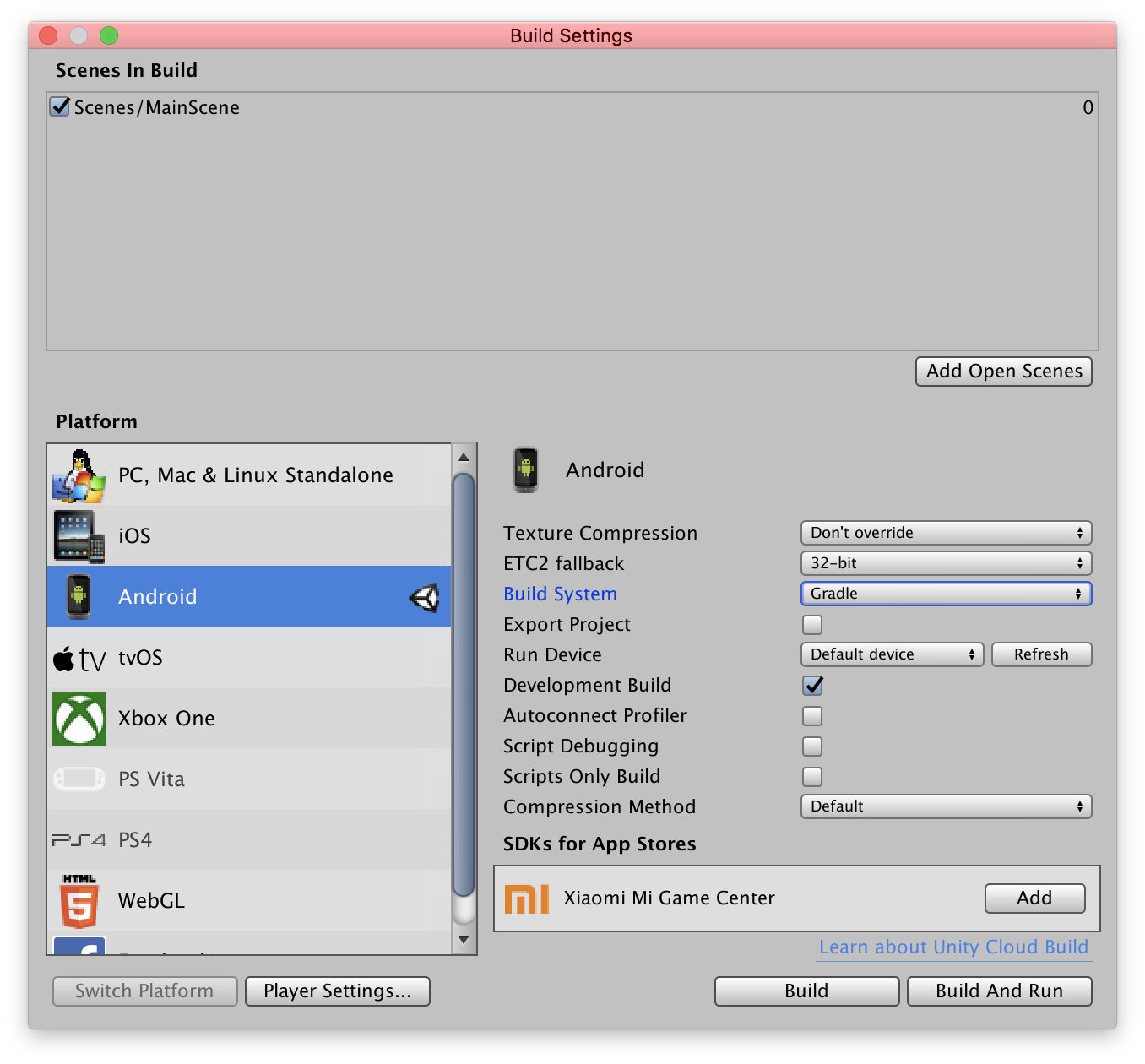
-
-
Attach Android device.
-
Press
Build and Runbutton.-
For convenience, place your build in
Export/Androidfile.
-
Export to and run from AndroidStudio
This way seems to be the safest option and definitely should be used for final release builds.
-
Open 'Build Settings' (menu )
-
Switch to Android platform (select
Androidand click onSwitch Platform) -
Select
Build System:Gradle (New) -
Check
Export Project -
Check
Development Build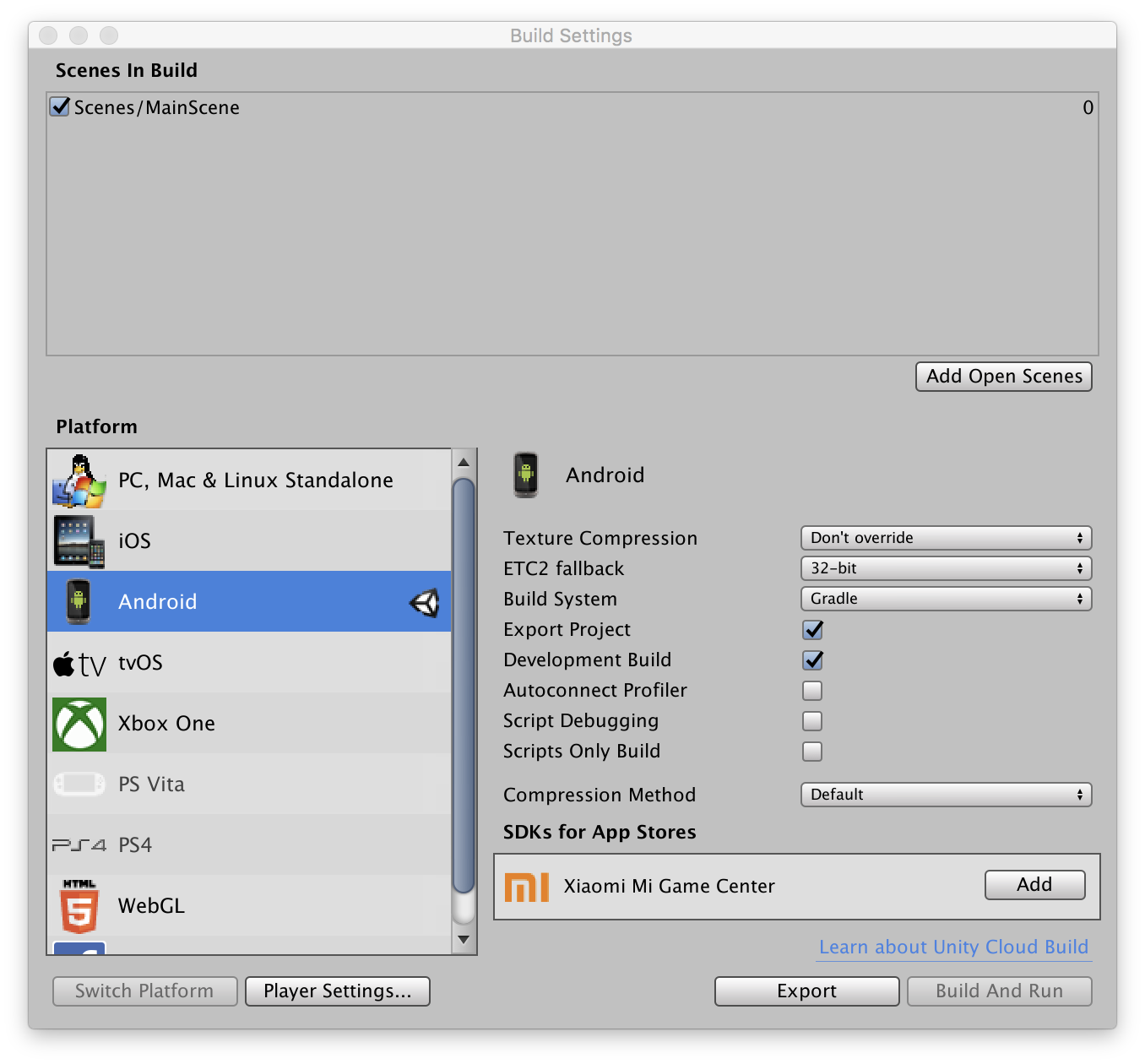
-
-
Press
ExportbuttonFor convenience, create
Export/Androidfolder in your project and place there exported project. -
Open exported project in AndroidStudio.
It is located in
Export/Android/{{ProductName}}folder. -
Attach Android device.
-
Click on a 'Run' button or select from a menu.